A business website should do more than look professional in design. It should help your business attract potential customers, build trust, and turn website visitors into qualified leads.
This is where effective business website design becomes important. A well-designed website can guide visitors through the buying journey and make it easy for them to contact your business, request a quote, book a consultation, or take another valuable action.
Whether you run a small local business, professional service company, e-commerce store, or B2B organization, your website can become one of your most valuable lead generation tools.
In this guide, we’ll explain how to create a business website that is designed not only for appearance but also for lead generation and conversions.
What Is Lead Generation?
Lead generation is the process of attracting potential customers and encouraging them to provide their contact information or take an action that allows your business to follow up with them.
Depending on your industry, a lead could be someone who:
- Fills out a contact form
- Requests a quote
- Calls your business
- Books an appointment
- Schedules a consultation
- Signs up for an email list
- Downloads a guide
- Requests more information
- Starts a conversation through live chat
A successful website should make these actions easy and convenient.
Why Business Website Design Matters for Lead Generation
Your website is often one of the first places potential customers interact with your brand.
If the website is confusing, outdated, slow, or difficult to use, visitors may leave without contacting you.
Professional business website design focuses on creating a clear path from the first visit to the desired action.
Instead of asking:
“Does my website look good?”
Business owners should also ask:
“Does my website make it easy for visitors to become customers?”
Good web design combines visual appeal with usability, trust, content, SEO, and conversion-focused elements.
1. Start With a Clear Business Goal
Before designing your website, define what you want it to accomplish.
Different businesses may have different conversion goals.
For example:
- A law firm may want visitors to schedule consultations.
- A digital marketing agency may want visitors to request a proposal.
- A driving school may want students to call or register for training.
- A construction company may want homeowners to request estimates.
- A SaaS company may want users to start a free trial.
- An e-commerce business may want visitors to purchase products.
Your website design should support these goals.
When your primary objective is clear, it becomes easier to decide what information, buttons, forms, and calls to action should appear on each page.
2. Know Your Target Audience
A website cannot generate effective leads if it does not address the needs of its audience.
Before starting your business website design, identify:
- Who are your ideal customers?
- What problems are they trying to solve?
- What questions do they have?
- What objections may prevent them from buying?
- What information do they need before contacting you?
- What makes them choose one company over another?
Understanding your audience helps you create website content and design elements that are relevant to potential customers.
3. Your business website design should have a Strong Homepage
Your homepage is often the first page visitors see.
A good homepage should quickly communicate:
What you do + who you help + why customers should consider your business + what they should do next.
For example, instead of using a vague headline such as:
“Welcome to Our Website”
you could use something more specific:
“Professional Digital Marketing Services That Help Small Businesses Generate More Leads”
A strong homepage can include:
- Clear headline
- Supporting message
- Primary call to action
- Key services
- Benefits
- Customer reviews
- Trust signals
- Case studies
- Relevant images
- Contact information
The goal is to give visitors enough information to understand your business and take the next step.
4. Use Clear Calls to Action
A call to action (CTA) tells visitors what they can do next.
Examples include:
- Get a Free Quote
- Request a Consultation
- Schedule a Call
- Book an Appointment
- Contact Us
- Get Started
- Request Pricing
- Start Your Free Trial
- Call Now
Your CTA should be clear and specific.
Instead of using a generic button such as “Click Here,” tell users exactly what will happen when they click.
For example:
Request Your Free Quote
is more informative than:
Learn More
Use CTAs naturally throughout the website, particularly where visitors have enough information to make a decision.
5. Make Your Contact Information Easy to Find
If your website generates leads, visitors should not have to search for your contact information.
Make important contact options easy to access.
Depending on your business, you may include:
- Phone number
- Email address
- Contact form
- Business address
- Google Maps location
- WhatsApp or messaging option
- Appointment booking
- Social media profiles
For mobile visitors, a clickable phone number can make contacting a business much easier.
6. Build Trust Before Asking for the Sale
People are more likely to contact a business when they trust it.
Your website should provide evidence that your company is legitimate and capable of delivering what it promises.
Useful trust signals can include:
- Customer reviews
- Testimonials
- Case studies
- Certifications
- Awards
- Industry memberships
- Client logos
- Years of experience
- Project portfolios
- Guarantees where appropriate
- Secure payment options
Don’t simply tell visitors that your company is trustworthy. Whenever possible, provide evidence that supports your claims.
7. Use Testimonials and Customer Reviews
Customer feedback can be a powerful conversion element.
A potential customer may hesitate to contact a company they do not know. Seeing positive experiences from previous customers can provide additional confidence.
When adding testimonials, consider including:
- Customer name
- Company name when appropriate
- Customer photo when permission is available
- Specific result or experience
- Relevant service
Specific testimonials are generally more useful than vague statements such as:
“Great company!”
For example:
“The team redesigned our website and helped us increase the number of quote requests we receive each month.”
Specific experiences provide more context for potential customers.
8. Create Dedicated Service Pages
Many businesses make the mistake of putting all their services on one page.
A better approach can be to create dedicated pages for important services.
For example, a digital marketing agency might have:
- SEO Services
- Local SEO
- Google Ads Management
- Social Media Marketing
- Web Design
- Content Marketing
Dedicated service pages allow you to explain each service in greater detail and create targeted calls to action.
They can also provide additional opportunities to target relevant search terms through SEO.
9. Optimize Your Website for Mobile Devices
Your website should work properly on smartphones and tablets.
A mobile-friendly business website design should have:
- Readable text
- Easy-to-tap buttons
- Simple navigation
- Fast loading pages
- Properly sized images
- Mobile-friendly forms
- Easy-to-use contact options
If visitors have to zoom in, scroll sideways, or struggle to click buttons, they may leave before becoming a lead.
10. Make Your Website Fast
Website speed can have a major impact on user experience.
Visitors generally expect websites to load quickly, and slow pages can create friction during the conversion process.
To improve website performance, consider:
- Compressing images
- Using modern image formats
- Reducing unnecessary scripts
- Optimizing CSS and JavaScript
- Using reliable hosting
- Limiting unnecessary plugins
- Enabling caching where appropriate
- Optimizing fonts and other resources
A faster website can make it easier for visitors to browse your services and complete conversion actions.
11. Simplify Your Contact Forms
A complicated contact form can discourage visitors from submitting their information.
Only ask for information that you genuinely need at the beginning of the lead generation process.
For example, a simple form might request:
Name
Email
Phone
Message
Depending on your business, additional fields may be useful.
However, avoid asking visitors for unnecessary information simply because the form allows it.
The easier the form is to complete, the less friction there is between a website visit and a potential lead.
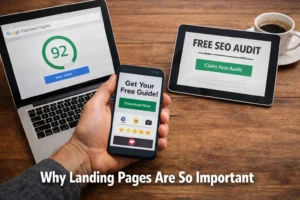
12. Use Landing Pages for Specific Campaigns
If you’re running Google Ads, social media advertising, email marketing, or other campaigns, consider using dedicated landing pages.
A landing page can focus on one specific offer or conversion goal.
For example:
Google Ads → “Free SEO Consultation” Landing Page → Consultation Form
Instead of sending advertising traffic to a generic homepage, a dedicated landing page can provide information directly related to the campaign.
This creates a more focused experience for potential customers.
13. Create Content That Answers Customer Questions
Not every visitor is ready to buy immediately.
Some people are still researching their options.
Useful content can help move these visitors closer to becoming leads.
Consider creating:
- Blog posts
- FAQs
- Guides
- Tutorials
- Case studies
- Comparison articles
- Industry reports
- Videos
- Downloadable resources
For example, a web design company could publish articles such as:
How Much Does Business Website Design Cost?
or:
10 Features Every Small Business Website Should Have
This type of content can attract people who are actively researching website services.
14. Use SEO to Attract the Right Visitors
A beautiful website cannot generate many leads if the right people cannot find it.
Search engine optimization can help your website attract relevant organic traffic.
Your SEO strategy may include:
- Keyword research
- On-page SEO
- Technical SEO
- Local SEO
- Content creation
- Internal linking
- Image optimization
- Schema markup where appropriate
- Link building
The goal should not simply be to generate more traffic.
You want to attract relevant traffic from people who are likely to need your products or services.
15. Design for the Buyer’s Journey
Not every visitor is at the same stage of the buying process.
Some visitors may have just discovered your business, while others may already be ready to purchase.
Your website should provide information for different stages.
Awareness
Visitors are learning about a problem or solution.
Useful content:
- Blog posts
- Guides
- Educational videos
- FAQs
Consideration
Visitors are comparing solutions and providers.
Useful content:
- Service pages
- Case studies
- Reviews
- Comparisons
- Pricing information
Decision
Visitors are ready to take action.
Useful elements:
- Contact forms
- Quotes
- Consultations
- Booking options
- Phone numbers
- Strong CTAs
A well-planned business website design can support visitors throughout this journey.
16. Show Your Unique Value Proposition
Potential customers should understand why they should consider your business.
Your value proposition should clearly communicate what makes your company different or valuable.
For example:
“Same-Day HVAC Repair From Licensed Technicians”
is more specific than:
“We Provide Quality HVAC Services.”
Your value proposition should be clear, realistic, and relevant to your target audience.
17. Use Web Design to Reduce Friction
Every unnecessary step can create friction.
For example, if a customer wants to call your business but has to search through several pages to find the phone number, the experience is unnecessarily difficult.
Good web design should remove obstacles.
Ask yourself:
- Can visitors quickly find your services?
- Can they easily contact you?
- Is the navigation simple?
- Are the buttons easy to understand?
- Is the website easy to use on mobile?
- Are forms simple?
- Can visitors quickly understand what you offer?
The fewer unnecessary obstacles visitors face, the easier it is for them to take action.
18. Track Your Website Conversions
You cannot effectively improve lead generation without measuring results.
Use analytics and tracking tools to understand how visitors interact with your website.
You may want to track:
- Contact form submissions
- Phone calls
- Quote requests
- Appointment bookings
- Email clicks
- Button clicks
- Downloads
- Purchases
- Landing page conversions
This data can help you identify which pages and campaigns are generating meaningful results.
19. Test and Improve Your Website
Your first website design does not have to be your final design.
Regular testing can help identify opportunities for improvement.
You can experiment with:
- Headlines
- CTA wording
- Button placement
- Form length
- Page layouts
- Images
- Offers
- Testimonials
- Landing page content
Instead of making changes based only on personal preferences, use analytics and user behavior to guide improvements.
Common Business Website Design Mistakes That Reduce Leads
Several common mistakes can make a website look professional but perform poorly as a lead-generation tool.
Using unclear headlines
Visitors should understand what your business does quickly.
Too many calls to action
Too many competing CTAs can confuse visitors. Give each page a clear primary goal.
Hiding contact information
Make it easy for visitors to contact your business.
Ignoring mobile users
A desktop-friendly website is not enough.
Using too much text
Break information into short sections that are easy to scan.
Focusing only on appearance
Visual design matters, but a beautiful website that does not generate leads is not achieving its full business potential.
Not measuring conversions
Without tracking, you may not know which pages and campaigns are actually producing leads.
Business Website Design Checklist for Lead Generation
Before launching your website, review the following checklist:
- Clear business value proposition
- Professional and consistent design
- Mobile-responsive layout
- Fast page loading
- Clear navigation
- Strong calls to action
- Easy-to-use contact forms
- Visible contact information
- Customer testimonials
- Trust signals
- Dedicated service pages
- SEO-friendly content
- Internal links
- Optimized images
- Secure HTTPS connection
- Conversion tracking
- Clear next steps for visitors
Final Thoughts
A successful website should do more than represent your brand online. It should actively support your business goals.
Effective business website design combines attractive visuals with clear messaging, simple navigation, mobile usability, fast performance, SEO, trust signals, and conversion-focused elements.
The most important question is not simply whether your website looks professional. The real question is whether it helps the right visitors understand your business and take the next step.
By designing your website around your customers’ needs and your business objectives, you can create a stronger online presence and turn more website visitors into meaningful business opportunities.
About the Author:

About the Author
Holinex Digital is a full-service digital marketing and creative agency specializing in business website design, web design, SEO, lead generation, and digital marketing solutions. Holinex creates professional, mobile-responsive, SEO-friendly websites designed to provide a strong user experience while helping businesses attract visitors and convert them into potential customers.
With expertise in custom website design, search engine optimization, content marketing, Google Ads, and conversion-focused digital strategies, Holinex Digital takes a practical approach to building websites that support real business goals—not just attractive online appearances.
For businesses looking to improve their online presence, generate more leads, and turn website traffic into business opportunities, Holinex Digital provides integrated web design and digital marketing solutions tailored to each business’s needs.
Please see our reviews on Google or TechBehmoth to know what the client says about Holinex Digital