Skip to content
Holinex Digital Logo-
  • Services

    DIGITAL MARKETING

    • LinkedIn Marketing Services & Solutions
    • Google Ads
    • Virtual Marketing Assistant
    • Search Engine Optimization – SEO
    • Local SEO
    • Search Engine Marketing (SEM)
    • Technical SEO
    • Link-Building
    • Digital Marketing Strategy
    • PPC- Pay Per Click
    • Email Marketing Services

    SOCIAL MEDIA MARKEING

    • Social Media Management
    • Social Media Brand Management
    • Online Reputation Management (ORM)
    • Social Media Advertising
    • Online Reputation Repair

    WEB DESIGN

    • eCommerce Web Design
    • Custom Website Design
    • Website Hosting

    INTERNATIONAL TRADE & BUSINESS

    • Product Sourcing
    • Private Lebel Product
    • Import and Export processing
    • Corporate Law
    • International Marketing

    CREATIVE MARKETING

    • Graphic Design
    • Video production
    • Video Marketing -Bangla
    • Video Testimonial Services
    • Product Photography Services
    • Drone Video and Photography Services
  • News & Blogs
  • Tools
    • Browser Privacy Test
  • About
    • Pricing
    • Services
    • Startup Consulting
    • About Holinex
    • Case Studies
    • Contact
  • Tools
    • Browser Privacy Test
  • About
    • Pricing
    • Services
    • Startup Consulting
    • About Holinex
    • Case Studies
    • Contact
get a quote
Holinex Digital Logo-
  • Services
    • DIGITAL MARKETING
      • LinkedIn Marketing Services & Solutions
      • Google Ads
      • Virtual Marketing Assistant
      • Search Engine Optimization – SEO
      • Local SEO
      • Search Engine Marketing (SEM)
      • Technical SEO
      • Link-Building Services
      • Digital Marketing Strategy
      • PPC- Pay Per Click
      • Email Marketing Services
    • SOCIAL MEDIA MARKEING
      • Social Media Management
      • Social Media Brand Management
      • Online Reputation Management (ORM)
      • Social Media Advertising
      • Online Reputation Repair
    • WEB DESIGN
      • eCommerce Web Design
      • Custom Website Design
      • Website Hosting
    • CREATIVE MARKETING
      • Graphic Design
      • Video production
      • Video Marketing -Bangla
      • Product Photography Services
      • Drone Video and Photography Services
    • INTERNATIONAL TRADE & BUSINESS
      • Product Sourcing
      • Import and Export processing
      • International Marketing
  • News & Blogs
  • About
    • Services
    • Startup Consulting
    • Pricing
    • About Holinex
    • Case Studies
    • Contact
  • Services
    • DIGITAL MARKETING
      • LinkedIn Marketing Services & Solutions
      • Google Ads
      • Virtual Marketing Assistant
      • Search Engine Optimization – SEO
      • Local SEO
      • Search Engine Marketing (SEM)
      • Technical SEO
      • Link-Building Services
      • Digital Marketing Strategy
      • PPC- Pay Per Click
      • Email Marketing Services
    • SOCIAL MEDIA MARKEING
      • Social Media Management
      • Social Media Brand Management
      • Online Reputation Management (ORM)
      • Social Media Advertising
      • Online Reputation Repair
    • WEB DESIGN
      • eCommerce Web Design
      • Custom Website Design
      • Website Hosting
    • CREATIVE MARKETING
      • Graphic Design
      • Video production
      • Video Marketing -Bangla
      • Product Photography Services
      • Drone Video and Photography Services
    • INTERNATIONAL TRADE & BUSINESS
      • Product Sourcing
      • Import and Export processing
      • International Marketing
  • News & Blogs
  • About
    • Services
    • Startup Consulting
    • Pricing
    • About Holinex
    • Case Studies
    • Contact

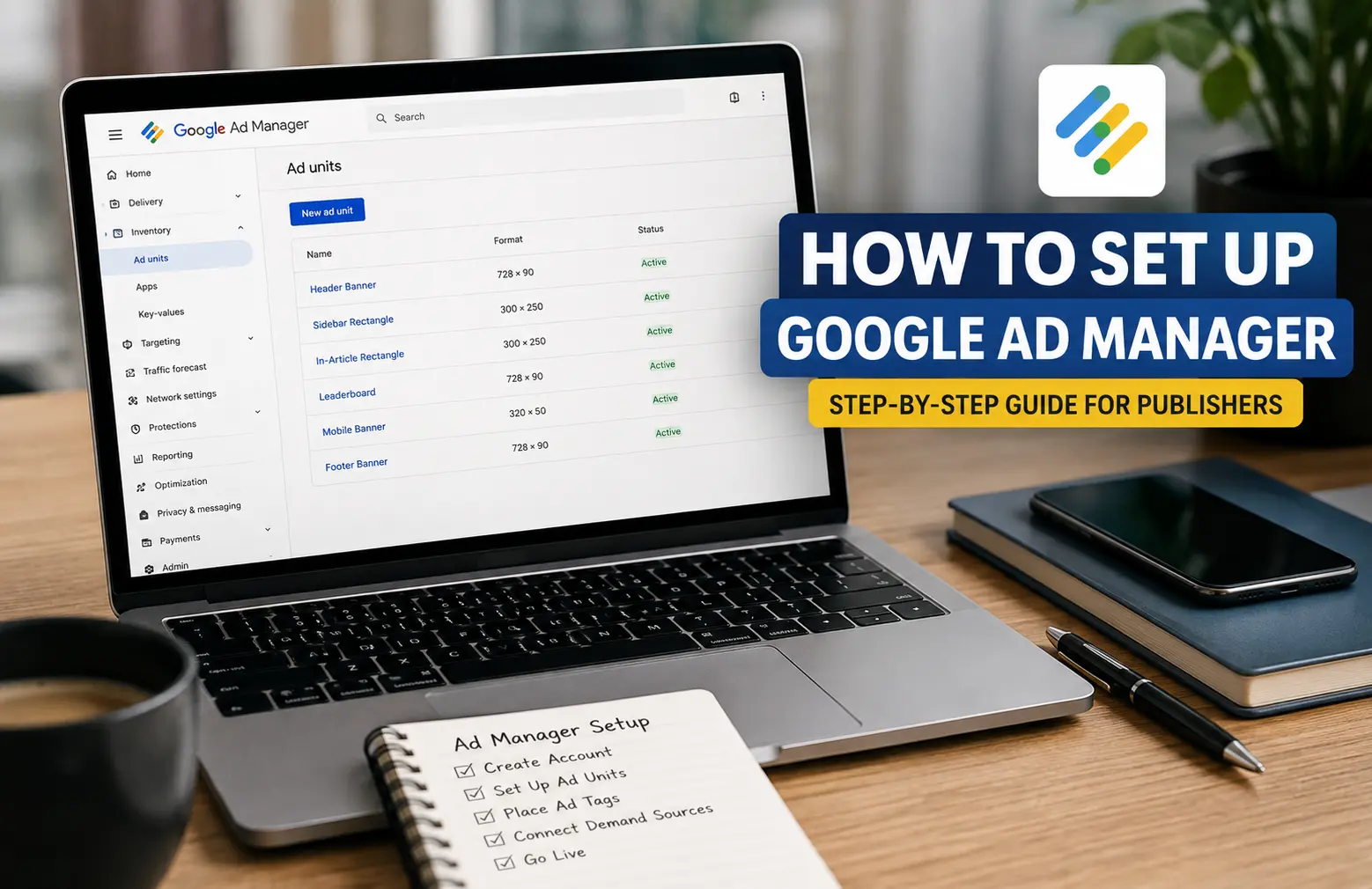
How to Set Up Google Ad Manager: A Beginner-Friendly Walkthrough

How to Set Up Google Ad Manager step by step guide
  • August 15, 2026
  • Holinex Marketing

Table of Contents

Toggle
  • First, a quick checklist
  • Step 1: Head to Google Ad Manager
  • Step 2: Fill in your account details
  • Step 3: Accept the terms
  • Step 4: Set your time zone and currency (don’t rush this one)
  • Step 5: Verify, if Google asks
  • Step 6: Create your ad units
  • Step 7: Generate and place your ad tags
  • Step 8: Connect your demand sources
  • The whole thing at a glance
  • Mistakes that trip people up
  • FAQ
  • Wrapping up
    • About the Author:

If you’ve only ever worked with Google AdSense, Google Ad Manager can throw you off. On the surface it looks like more of the same, but the setup works differently — and that’s usually where people get stuck, right at the very beginning.

So let’s slow it down. Below is the whole process, start to finish, in plain language: creating the account, getting the basics configured, and reaching the point where you actually have control over your ad inventory instead of just handing it all to AdSense.

First, a quick checklist

Before you create anything, it helps to have a few things lined up:

  • An active Google AdSense account. In most cases this is still the gatekeeper — no approved AdSense, no full Ad Manager account.
  • A website or app you own, with real, original content on it.
  • A Google account that’s already linked to that AdSense account.
  • A rough idea of where you actually want ads to show up on your site.
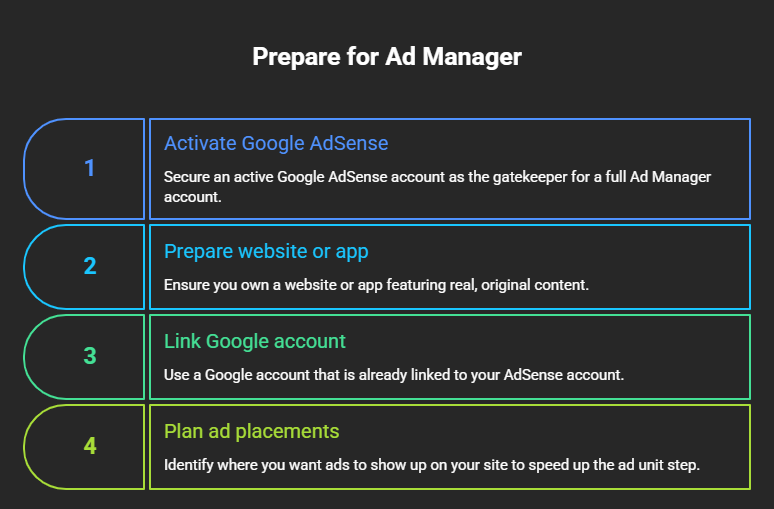
Before you create anything, it helps to have a few things lined up:

That last one sounds minor, but knowing your placements ahead of time makes the ad unit step much faster later on.

Step 1: Head to Google Ad Manager

Go to admanager.google.com and click Sign up (or Create account).

The one thing to get right here: sign in with the same Google account that’s tied to your AdSense. Using a different email is a classic early mistake, and it’s a hassle to untangle afterward.

Step 2: Fill in your account details

Google’s going to ask for the usual basics — whether you’re setting up as an individual or a business, your name or company name, your address, and your country or billing territory.

Take a second to make sure everything matches your payment and identity documents exactly. It feels tedious, but a mismatch here is one of the things that quietly delays approval or causes payment headaches down the road.

Step 3: Accept the terms

Standard stuff. You’ll need to read and agree to the Google Ad Manager Terms and Conditions, plus any parent publisher terms if they apply to you. Once that’s done, hit Set up account (or Continue) and move on.

Step 4: Set your time zone and currency (don’t rush this one)

This is the step I’d tell you to actually pause on.

You’ll pick your time zone and currency here. The catch: once you create your first order, these lock in and become a real pain to change. So double-check them before you save — not after. It only takes a moment now, and it saves you a support-ticket-shaped problem later.

Step 5: Verify, if Google asks

Depending on your situation, Google may want you to verify your phone number, confirm your identity, or verify your address — the address check especially tends to show up once your earnings hit a certain point.

If any of these requests pop up, just handle them quickly. Leaving them sitting is one of the easiest ways to stall your account activation.

Step 6: Create your ad units

Once the account’s live, this is where it starts to feel real. Ad units are simply the spots on your site where ads will appear.

To make one:

  1. Go to Inventory → Ad units
  2. Click New ad unit
  3. Give it a name that actually tells you what it is — something like Homepage_Sidebar_300x250
  4. Choose the sizes you want it to support
  5. Save it

Then repeat for each position you care about: header, sidebar, in-article, footer, and so on. Clear names matter more than you’d think — a few months from now, “Ad unit 3” won’t mean anything to you, but Article_InContent_728x90 will.

Step 7: Generate and place your ad tags

After you create an ad unit, Google hands you an ad tag — usually a Google Publisher Tag (GPT). This bit of code is what actually pulls the ads onto your page, so it needs to go in the right spot.

If you’re on WordPress, you’ve got a few ways to add it:

  • Directly in your theme files
  • Through a plugin like Header Footer Code Manager or Ad Inserter
  • Via Google Tag Manager

Whichever route you take, placement is everything. A tag dropped in the wrong place either won’t load ads or will load them somewhere ugly.

Step 8: Connect your demand sources

Here’s where Ad Manager earns its keep. Instead of relying on a single income stream, you can plug in several demand sources and let them compete for your inventory:

  • Google AdSense
  • Google Ad Exchange (if you’re eligible)
  • Third-party ad networks
  • Direct deals you strike with advertisers yourself

Managing all of that from one dashboard is the real reason to move beyond plain AdSense. It’s the difference between selling your ad space and just… renting it out on autopilot.

The whole thing at a glance

StepWhat you’re doingWatch out for
1Create the accountUse your AdSense-linked Google login
2Enter your detailsMust match your payment info
3Accept the termsRequired to move forward
4Set time zone & currencyNearly permanent once set
5Complete verificationNeeded for payouts
6Create ad unitsDefines where ads appear
7Place ad tagsAds won’t show without them
8Connect demand sourcesAdSense plus everything else

Mistakes that trip people up

A few things I’d steer you away from:

  • Picking the wrong time zone or currency and only noticing after your first order (see Step 4 — I wasn’t kidding).
  • Naming ad units something vague you’ll never recognize later.
  • Sticking ad tags in the wrong place on the page.
  • Skimming past Google’s policy requirements.
  • Trying to spin up multiple Ad Manager accounts under different emails. Don’t — it causes far more problems than it solves.

FAQ

Do I actually need AdSense to use Ad Manager? In most cases, yes. An active AdSense account is still typically required before you can create an Ad Manager account.

How long does approval take? Anywhere from a few days to a couple of weeks, depending on where you land in Google’s review queue. There’s no fixed timeline, so try not to obsess over it.

Can I change the time zone or currency later? Once you’ve created your first order, those settings are effectively permanent. Choose carefully the first time.

Is Google Ad Manager free? The standard version (what used to be called Ad Manager Small Business) is free for most publishers.

What’s the difference between Ad Manager and Google Ads? Short version: Google Ads is for advertisers buying traffic. Ad Manager is for publishers selling ad space. Two sides of the same marketplace.

Wrapping up

Getting Ad Manager set up correctly from day one saves you a surprising amount of grief later. Slow down on the account details, the network settings, and how you structure your ad units — that early care pays off every single day afterward. Once it’s dialed in, you’ve got far more control over your inventory than AdSense alone could ever give you.

And if you’d rather have someone handle the Google Ads campaigns, ad strategy, or the broader digital marketing side of things, that’s where Holinex comes in. We work with businesses on Google Ads, SEO, and performance marketing — so if any of this feels like more than you want to take on solo, reach out and we’ll help you sort it.

About the Author:

This blog is written by Holinex Digital, a leading full-service digital and creative marketing agency specializing in result-driven, data-driven strategies for online growth. With expertise in digital marketing, Holinex helps businesses achieve measurable success through practical and innovative digital marketing solutions. Holinex always believes in making a meaningful community that is open-minded to help each other to grow up together. so, please follow & Keep in touch with Holinex Digital.

Please see our Reviews on Google or TechBehmoth to know what the client says about holinex Digital

More Posts

Leading software companies in Bangladesh 2026

Top 10 Software Companies in Bangladesh 2026

Google Ad Manager vs Google Ads key differences comparison

Google Ad Manager vs Google Ads: Key Differences Explained

Google Business Profile Optimization How to Rank Higher in Local Search

Google Business Profile Optimization: How to Rank Higher in Local Search

Local SEO Services for USA Small Business

Local SEO Services for USA Small Business: The Complete Guide

AI Automation in Digital Marketing

AI Automation in Digital Marketing: Benefits, Tools & Strategies

Marketing Fundamentals Step-by-Step Guide to Building Your First Winning Strategy.

Marketing Fundamentals: Step-by-Step Guide to Building Your First Winning Strategy.

AI Content Optimization Services Get Your Content Cited by AI

AI Content Optimization Services: Get Your Content Cited by AI

Bing AI Content Strategy What Bing AI Cites and Why

Bing AI Content Strategy: How to Get Your Content Cited

AI Overview Optimization Rank in Google AI Results

AI Overview Optimization: Rank in Google AI Results

The Future of Reputation Management in 2026

Reputation Management in the Age of AI 2026

10 Common Mistakes in Business Growth Strategy

10 Common Mistakes in Business Growth Strategy

Top 10 Real Estate Companies in Bangladesh 2026

Top 10 Real Estate Companies in Bangladesh 2026

Form Usability Testing by holinex digital

Form Usability Testing: Boost Lead Conversions

Best Social Media Management Tools

Best Social Media Management Tools for Agencies in 2026

Local SEO Agency Near Me – Rank Higher Locally

Local SEO Agency Near Me – Rank Higher Locally

The Future of Reputation Management

The Future of Reputation Management in 2026

Rank your brand in Google AI

AI Overview SEO Services: Rank in Google AI Results

Select How to Check Brand Visibility in AI Search Results How to Check Brand Visibility in AI Search Results

How to Check Brand Visibility in AI Search Results

How to Stop Review Spam Fast

How to Handle Review Spam: Stop Fake Reviews Fast

Humans Still Matter: Why AI Isn’t Enough for SEO

Humans Still Matter: Why AI Isn’t Enough for SEO

Why Landing Pages Are So Important in 2026

Why Landing Pages Are So Important in 2026

Social Media Management Agency

Social Media Management Agency: Grow Your Brand Fast

Top 10 E-commerce Companies in Bangladesh 2026

Top 10 E-commerce Companies in Bangladesh 2026

How to Rank Higher on Google Practical Tips 2026

How to Rank Higher on Google: Practical Tips 2026

How to Fix Core Web Vitals Step-by-Step Guide

How to Fix Core Web Vitals: Step-by-Step Guide

How-to-Choose-the-Right-Google-Ads-Management-Agency-for-Your-Business-in-2026

How to Choose the Right Google Ads Management Agency for Your Business in 2026

Growth Marketer Roles, Skills & Strategies

Growth Marketer: Roles, Skills & Strategies

Digital Marketing for Doctors: Get More Patients Fast

Digital Marketing for Doctors: Get More Patients Fast

Facebook Ads Management: Grow Leads & Sales Fast

Facebook Ads Management: Grow Leads & Sales Fast

Website-Redesign-Services-Modern-&-Converting.jpg

Website Redesign Services: Modern & Converting

PPC Management Services: Drive Performance Growth 2026

PPC Management Services: Drive Performance Growth 2026

Generative Engine Optimization vs Traditional SEO Tips 2026

Generative Engine Optimization vs Traditional SEO Tips 2026

Generative-Engine-Optimization-News-–-Latest-Updates

Generative Engine Optimization News – Latest Updates

Digital-experience-by-holinex-Digital

Digital Experience by Holinex 2026 – Full-Service Marketing

Holinex Digital logo

The best Advertising Agency : Holinex has been providing services on almost all major digital platforms since -2010

Facebook Instagram Linkedin Google-plus-square Pinterest X-twitter Behance Dribbble

DIGITAL MARKETING

  • LinkedIn Marketing Services & Solutions
  • Virtual Marketing Assistant
  • Google Ads
  • SEO Services
  • PPC - Pay per Click
  • Email Marketing Services

SOCIAL MEDIA MARKEING

  • Social Media Management
  • Social Media Brand Management
  • Online Reputation Management (ORM)
  • Social Media Advertising
  • Online Reputation Repair

WEB DESIGN

  • e-Commerce Web Design
  • Custom Website Design
  • Website Hosting

CREATIVE MARKETING

  • Graphic Design
  • Video production
  • Video Marketing -Bangla
  • Product Photography Services
  • Drone Video and Photography Services

© 2025 Holinex Digital

Powered by Holinex Digital

  • Home old

Let's talk:

+1 123-456-7890
+1 123-456-7890
  • Home old